

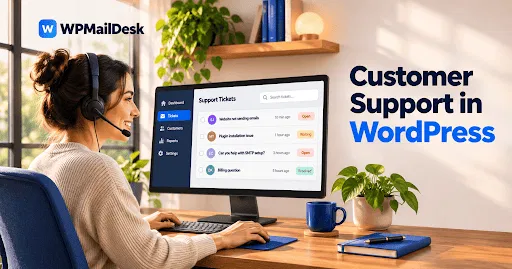

The good news is that a WordPress support ticket plugin can work with WooCommerce. When properly configured, it can help store owners manage customer questions, handle order-related issues, and provide a smoother support experience.
How Does WordPress Support Ticket Work with WooCommerce?
WooCommerce manages online store activities, including products, orders, payments, and customer accounts. A support ticket plugin adds a customer service system to the website.
Together, these tools can create a more organized support process. For example, when a customer experiences an issue with an order, they can submit a support ticket instead of searching for a store email address.
Depending on the plugin's WooCommerce integration, support agents may be able to access relevant order information while responding to customer requests.
This makes it easier to understand customer problems without switching between multiple platforms.
Why Do WooCommerce Stores Need a Support Ticket System?
Customer support plays an important role in online shopping. Customers expect clear answers when something goes wrong with an order.
A ticket system helps store owners manage different requests in one place. Instead of handling every message separately, support teams can organize conversations and monitor their progress.
Some common situations include:
-
Customers asking about delayed deliveries.
-
Buyers requesting order updates.
-
Questions about payment failures.
-
Refund and cancellation requests.
-
Product information and availability questions.
-
Problems with customer accounts.
A WordPress Support Ticket system helps prevent these requests from getting lost in a busy email inbox.
Can Customers Submit Tickets About WooCommerce Orders?
Yes, customers can use a support ticket system to ask questions about their WooCommerce orders, provided the plugin supports the required integration or configuration.
For example, a customer might receive an order confirmation but not receive the product within the expected delivery period. They can create a ticket explaining the problem.
Support agents can then review the request, check the available order information, and provide an appropriate response.
Some plugins also support custom fields, allowing store owners to collect useful information such as order numbers, product names, and issue categories.
This makes it easier to identify the problem and respond accurately.
Does WooCommerce Integration Improve Customer Support?
WooCommerce integration can improve customer support by connecting store-related activities with the ticket management process.
Without integration, agents may need to ask customers for information that already exists in the store. With suitable integration, relevant order details may be available directly within the support workflow.
This can provide several advantages:
Better order management: Agents can identify which purchase a customer is discussing.
Faster responses: Access to relevant information can reduce unnecessary questions.
Organized communication: Customer requests remain grouped into individual tickets.
Improved tracking: Support teams can monitor open, pending, and resolved issues.
However, the available features depend on the specific support plugin and its WooCommerce compatibility.
Can Support Agents Manage Refund and Payment Questions?
Yes. A ticket system can help agents manage refund and payment-related questions by keeping conversations organized.
For example, a customer might report that a payment was completed but the order status has not changed. The agent can investigate the issue and communicate the next steps through the ticket.
Similarly, customers can submit refund requests and provide additional details when needed.
It is important to understand that creating a support ticket does not automatically process a refund. Actual refunds should be handled through WooCommerce or the connected payment gateway according to the store's policies.
Is a WordPress Support Ticket Plugin Easy to Set Up?
Most WordPress support ticket plugins are designed to work through the WordPress dashboard. However, the setup process varies between plugins.
A typical setup involves:
-
Installing and activating the support ticket plugin.
-
Checking whether it supports WooCommerce integration.
-
Configuring customer ticket submission options.
-
Setting up support agents and permissions.
-
Testing order-related support requests.
-
Configuring email notifications and ticket replies.
Testing the integration before making it available to customers is important. It helps identify compatibility problems and ensures that customer information is handled correctly.
What Should You Check Before Choosing a Plugin?
Not every support ticket plugin offers the same WooCommerce features. Store owners should check compatibility and available functionality before selecting a solution.
Important features include:
-
WooCommerce compatibility: Confirm that the plugin supports your installed WooCommerce version.
-
Order information: Check whether agents can access relevant order details.
-
Customer management: Look for options to organize customer conversations.
-
Email notifications: Make sure customers and agents receive ticket updates.
-
Agent permissions: Control which team members can access support information.
-
Security: Protect customer details and restrict unauthorized access.
-
Ticket history: Keep previous conversations available for future reference.
Choosing a plugin with suitable features can make daily support management easier.
Conclusion
A WordPress Support Ticket plugin can work effectively with WooCommerce when it offers compatible integration features. It helps online store owners organize customer questions, manage order-related problems, and improve communication between customers and support agents.
From delivery questions to payment concerns and refund requests, a ticket system provides a structured way to handle customer service. Before choosing a plugin, check its WooCommerce compatibility, order management features, security options, and available integrations.
With the right setup, WooCommerce stores can manage support requests more efficiently and provide customers with a better shopping experience.