

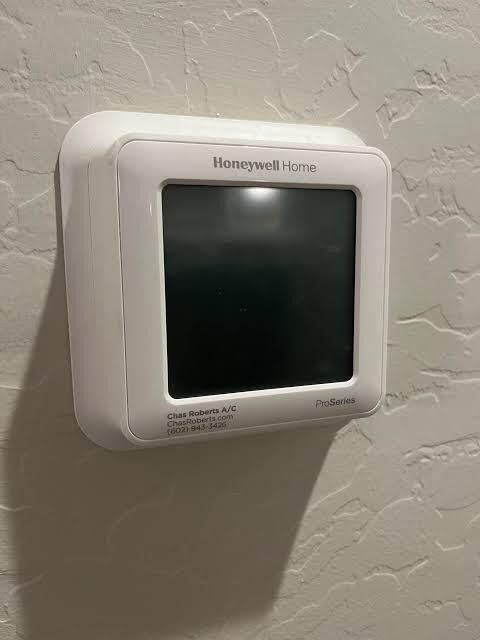

A thermostat is an essential part of a home's heating and cooling system. It helps maintain comfortable indoor temperatures, controls HVAC operating schedules, and allows homeowners to adjust settings throughout the year. However, incorrect configurations, temporary software glitches, and power interruptions can sometimes affect its performance. In these situations, resetting the thermostat may help restore normal operation.
Before making changes, homeowners should understand that different thermostat models have different reset procedures. Some allow users to clear a programmed schedule, while others offer a complete factory reset that removes saved preferences and network information. Knowing the difference can prevent unnecessary configuration problems. This guide explains common reasons for resetting a thermostat, general reset procedures, and important steps to follow afterward.
Why Would You Need to Reset a Thermostat?
A thermostat does not necessarily need a reset whenever the heating or cooling system behaves unexpectedly. However, certain situations may make resetting a useful troubleshooting step.
1. The Thermostat Is Not Responding
A touchscreen may become unresponsive, or physical buttons may stop working correctly. A temporary software issue or interrupted power supply could be responsible. Depending on the model, restarting or resetting the device may help resolve the problem.
2. The Temperature Schedule Is Incorrect
Homeowners sometimes change schedules without realizing how those adjustments affect later heating and cooling periods. If the thermostat repeatedly changes temperatures at unexpected times, clearing or reprogramming its schedule may be helpful.
3. The Device Has Incorrect Settings
A thermostat may have an unsuitable operating mode, an active Hold setting, or incorrect clock information. Reviewing these settings should generally come before performing a factory reset. A reset may be useful when configuration problems cannot be corrected individually.
4. You Are Installing or Reconfiguring the Device
When moving into a new home or changing HVAC equipment, homeowners may need to remove settings left by a previous occupant. Resetting selected configurations can provide a clean starting point for setting up the thermostat again.
Understand the Different Types of Resets
Before learning how to reset honeywell thermostat settings, it is important to understand that the available reset options vary by model.
Schedule reset: This option clears or restores programmed heating and cooling periods. It is useful when the existing schedule no longer matches your household's routine.
Factory reset: A factory reset returns supported settings to their original defaults. Depending on the model, it may remove saved schedules, temperature preferences, Wi-Fi connections, and other configurations.
Power restart: Restarting the thermostat may help resolve a temporary issue without necessarily deleting stored settings. Follow the manufacturer's instructions for your particular model.
Some advanced thermostats also offer separate options for resetting Wi-Fi settings or specific preferences. Always review the available choices before confirming a reset.
Steps to Prepare Before Resetting
Preparation can prevent unnecessary inconvenience after the process.
First, identify the thermostat's exact model number. You may find it on the front of the device, behind a removable cover, or in the original documentation. Honeywell thermostat models have different interfaces, so the correct instructions depend on the specific product.
Next, write down your current heating and cooling schedules, preferred temperatures, and other important settings. If your thermostat connects to Wi-Fi, keep your network name and password available in case the reset removes the connection.
Finally, consult the manufacturer's user manual. Avoid relying on button combinations found for a different model because the same controls may perform different functions on different devices.
General Steps for Resetting a Thermostat
Although the exact procedure varies, many digital thermostats follow a similar process:
-
Open the settings menu: Locate the Menu, Settings, or System option on the thermostat.
-
Find the reset section: Look for an option labeled Reset, Preferences, or Advanced Settings.
-
Select the correct reset type: Choose the schedule reset or factory reset according to your troubleshooting needs.
-
Review the confirmation message: Check which settings will be erased before proceeding.
-
Confirm the selection: Follow the on-screen instructions to complete the process.
-
Wait for the restart: Allow the thermostat to finish restarting before making additional adjustments.
Some models use physical buttons rather than touchscreen menus. Others have model-specific procedures that are not covered by these general steps. If the reset option is unclear, stop and consult the correct manual instead of experimenting.
What to Do After Resetting the Thermostat
A successful reset may remove settings that need to be entered again. Start by checking the date and time. An incorrect clock can cause scheduled temperature changes to happen at unexpected hours.
Next, select the appropriate operating mode. Choose Heat when using the heating system and Cool when using air conditioning. If your model supports Auto mode, consult its manual to understand how it manages heating and cooling.
Set your preferred temperature and create a new schedule if the previous one was erased. Consider your normal wake-up time, working hours, return time, and sleeping routine when selecting daily temperature periods.
If you have a Wi-Fi-enabled thermostat, reconnect it to your home network when required. Some models may also need to be reconfigured through their compatible mobile application.
Common Mistakes to Avoid During a Reset
A few mistakes can make thermostat troubleshooting more difficult.
-
Using instructions for another model: Reset procedures are not identical across all thermostats.
-
Choosing a factory reset unnecessarily: This may erase schedules and preferences that could have been preserved.
-
Ignoring the clock: Incorrect time settings can disrupt programmed operation.
-
Forgetting Wi-Fi configuration: Connected features may stop working until the network is restored.
-
Resetting repeatedly: Repeated resets are unlikely to resolve an electrical or mechanical fault.
Keep the original settings recorded so you can restore your preferred configuration if necessary.
When Should You Contact an HVAC Professional?
A reset is not a repair for every thermostat problem. If the screen remains blank, the thermostat repeatedly loses power, or the HVAC system does not respond after correct configuration, the cause may involve batteries, wiring, a transformer, a control board, or another equipment component.
A qualified technician can inspect the thermostat, test the power supply, and evaluate the connected heating and cooling equipment. Avoid removing wires, opening electrical components, or bypassing safety switches. These actions can create electrical hazards or damage the system.
Conclusion
Resetting a thermostat can help resolve certain configuration problems and provide a fresh starting point for programming. Identify the exact model, record important settings, and select the appropriate reset option before proceeding. Afterward, verify the clock, operating mode, temperature preferences, and schedule. If the original problem continues, professional HVAC diagnosis can help identify the underlying cause and restore dependable temperature control.