

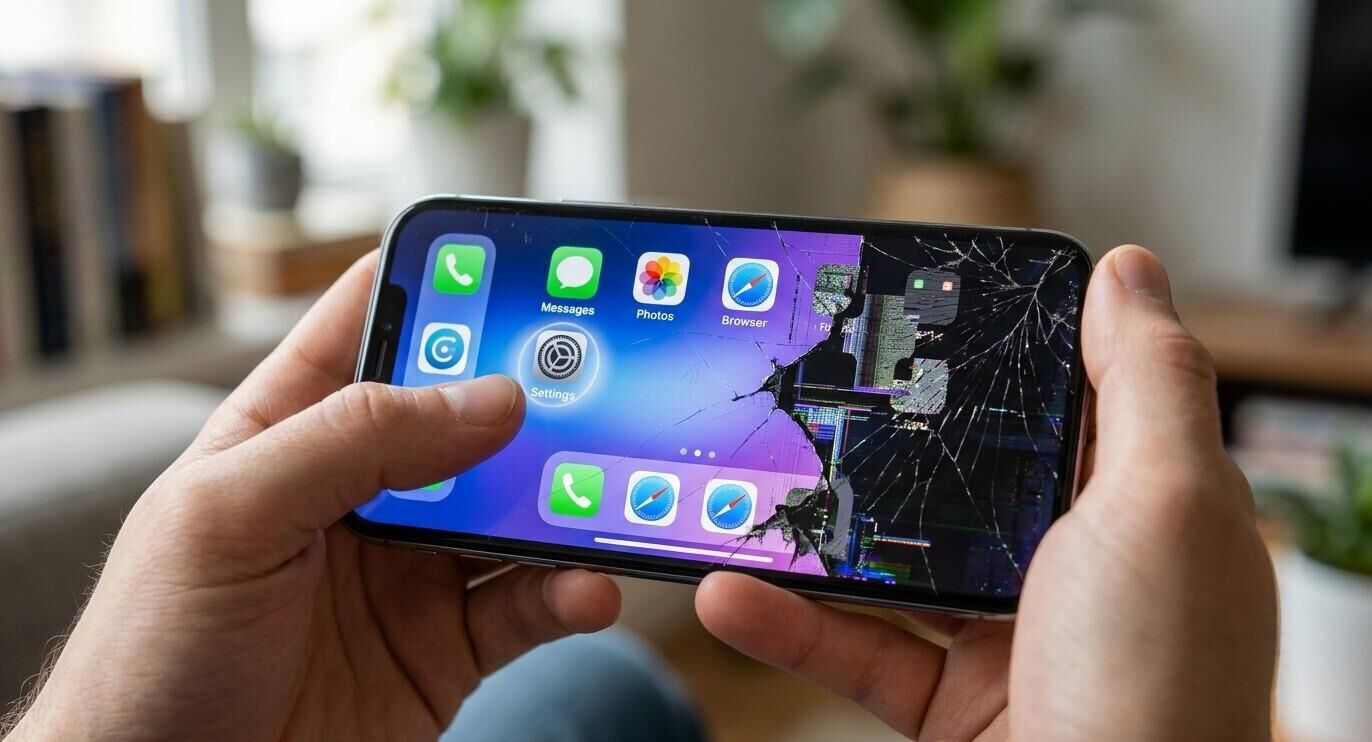

A smartphone touchscreen makes it easy to navigate apps, type messages, browse the internet, and manage everyday tasks. However, when certain areas of the screen stop responding to touch, even simple activities can become frustrating. You may notice that some buttons do not work, letters are difficult to type, or parts of the display respond only occasionally.
At iPC Repair Houston, understanding common smartphone problems can help users make informed decisions about device care and repair. If your phone has persistent touchscreen issues, visit ipcrepairhouston.com to explore available repair solutions. This guide explains why certain touchscreen areas become unresponsive, how to troubleshoot the problem, and when professional repair may be necessary.
Table of Contents
-
Common Causes of Unresponsive Touchscreen Areas
-
Warning Signs of Touchscreen Damage
-
How to Troubleshoot Touchscreen Problems
-
Can Professional Repair Fix an Unresponsive Touchscreen?
-
Tips to Prevent Future Screen Problems
-
Frequently Asked Questions
-
Contact iPC Repair Houston
1. Common Causes of Unresponsive Touchscreen Areas
Several hardware and software issues can prevent specific parts of a smartphone screen from responding correctly.
Physical Screen Damage
Cracks, scratches, and impact damage can affect the touchscreen's ability to detect your fingers. Even when the display looks mostly normal, internal digitizer damage may create dead zones where touch input no longer works.
Damaged Touchscreen Digitizer
The digitizer is the component responsible for detecting touch input. If it becomes damaged because of a drop, pressure, or internal failure, certain sections of the screen may stop responding or behave inconsistently.
Software Glitches
Temporary operating system errors, outdated software, or problematic applications can interfere with touchscreen performance. If the issue appears only while using a particular app, software may be contributing to the problem.
Moisture and Liquid Exposure
Water or moisture can interfere with touchscreen components and internal connections. A phone may continue displaying images while certain areas become difficult or impossible to operate.
Faulty Screen Connections
Internal display connectors can become loose or damaged after physical impact or an improper repair. This may cause inconsistent touch response, flickering, or other display-related problems.
Low-Quality Screen Protectors
Some poorly fitted, damaged, or incompatible screen protectors can interfere with touch sensitivity. Dirt, air bubbles, and debris trapped underneath may also affect responsiveness.
2. Warning Signs of Touchscreen Damage
Recognizing the symptoms can help you determine whether your phone needs further inspection.
Common warning signs include:
-
Certain screen areas do not respond to tapping.
-
Letters or numbers in specific keyboard positions cannot be selected.
-
The screen registers touches in the wrong location.
-
Touch input works intermittently.
-
The display responds slowly despite normal phone performance.
-
Touchscreen problems begin after a drop or liquid exposure.
If these symptoms continue across different apps and after restarting your phone, the issue may involve the touchscreen hardware.
3. How to Troubleshoot Touchscreen Problems
Before arranging a repair, try these basic steps:
Clean the screen: Use a soft, lint-free cloth to remove fingerprints, oil, and dirt. Make sure your hands are clean and dry.
Remove the screen protector: If the protector is cracked, poorly fitted, or damaged, remove it carefully and test the touchscreen again.
Restart your phone: Restarting can resolve temporary software glitches affecting touch response.
Update your operating system: Check for available software updates that may address touchscreen performance issues.
Check different applications: Test the affected areas in several apps. If the problem happens only in one application, that app may be responsible.
Back up important data: If the touchscreen is becoming increasingly difficult to use, back up your photos, contacts, and important files while you still can.
Avoid pressing hard on unresponsive areas or attempting to open the phone yourself, as this may cause additional damage.
4. Can Professional Repair Fix an Unresponsive Touchscreen?
Yes. Professional repair may resolve touchscreen problems when the cause is damaged hardware or a faulty internal connection. The correct solution depends on the phone model and the condition of its components.
A technician may:
-
Inspect the display for cracks and internal damage.
-
Test the digitizer and touchscreen functionality.
-
Check internal display connectors.
-
Identify possible moisture-related damage.
-
Diagnose software-related touchscreen problems.
-
Recommend screen repair or replacement when necessary.
If the digitizer or display assembly is damaged, replacing the affected component may restore normal touch functionality. However, a proper diagnosis is important before deciding which repair is needed.
For assistance with smartphone screen issues, iPC Repair Houston can help you explore suitable repair options. Visit ipcrepairhouston.com for more information.
5. Tips to Prevent Future Screen Problems
Taking care of your smartphone can reduce the risk of touchscreen damage.
-
Use a protective case to reduce impact damage.
-
Install a compatible, high-quality screen protector.
-
Keep your phone away from water and excessive moisture.
-
Avoid placing heavy objects on your device.
-
Do not press forcefully on unresponsive screen areas.
-
Keep your phone's software updated.
-
Arrange an inspection if touch problems appear after an accident.
These simple habits can help protect your device and maintain reliable touchscreen performance.
6. Frequently Asked Questions
Why does only one part of my phone screen stop working?
This may happen because of localized digitizer damage, internal display connection problems, or software issues. Physical damage is a common cause of persistent dead zones.
Can a screen protector cause touchscreen problems?
Yes. An incompatible, damaged, or poorly installed screen protector can reduce touch sensitivity. Removing it temporarily can help identify whether it is responsible.
Does an unresponsive touchscreen always need replacement?
No. Some problems are caused by software glitches or screen protectors. However, damaged digitizers or display assemblies may require professional repair or replacement.
Can water damage affect touchscreen responsiveness?
Yes. Moisture can interfere with internal connections and touchscreen components, sometimes causing partial or complete touch failure.
Is it safe to keep using a phone with dead touchscreen areas?
You may still be able to use the working parts of the screen, but the problem could worsen. Back up important data and arrange an inspection if the issue persists.
7. Contact iPC Repair Houston for Smartphone Screen Assistance
An unresponsive touchscreen can make your smartphone difficult to use and may indicate a hardware problem that needs attention. Identifying the cause early can help you avoid additional inconvenience and choose the right repair solution.
If certain areas of your phone screen are no longer responding, contact iPC Repair Houston to explore professional repair options. Visit ipcrepairhouston.com to learn more about available services.
Get your touchscreen problem properly diagnosed and take the next step toward restoring your phone's everyday usability.